🎉 AI Based Smart Meeting Tool for Professionals

Virtual Meeting Etiquette PRO

Show up prepared. Stay focused. Leave every call with clear next steps.

Virtual meetings are where work happens now. But between unstable links, missing context, forgotten action items, and digital distractions, most attendees spend more time managing the meeting than contributing to it.

Rated 5 out of 5

From 800+ Clients


What Is Virtual Meeting Etiquette?​

Virtual Meeting Etiquette defines how professionals conduct themselves during video calls, audio conferences, and screen-sharing sessions across platforms like Zoom, Microsoft Teams, and Google Meet. It is not a soft skill anymore. When 70% of a distributed team never shares a physical room, the way you mute your microphone, frame your camera, and manage bandwidth becomes the difference between a decision-driven session and a 45-minute drift.

Following meeting etiquette rules for attendees smartly means understanding that behaviour on camera carries technical weight, not just social weight. An unmuted keyboard adds background noise that voice-isolation algorithms cannot always suppress. A participant streaming HD video on a congested Wi-Fi connection consumes 2–3 Mbps and can degrade audio packets for everyone.

Virtual Meeting Etiquette for Different Situations

Context changes the rules. A daily stand-up tolerates informality that a client pitch never would. Here is how to adapt.

Etiquette for Team Meetings

Internal team calls prioritise speed and clarity over formality. Keep cameras on for stand-ups to maintain accountability, but allow audio-only for long working sessions to reduce fatigue.

  • Follow a fixed structure: yesterday’s progress, today’s plan, blockers.
  • Use the chat for links and code snippets so speakers stay focused on discussion.
  • Assign a rotating facilitator to prevent one voice from dominating.
  • Timebox each speaker to 90 seconds in stand-ups to protect the schedule.


Etiquette for Client Meetings

Client calls are revenue-facing. Every technical glitch reflects on your professionalism.

  • Send the agenda and dial-in link at least 24 hours ahead.
  • Join from a wired ethernet connection if possible; packet loss during a pitch damages credibility.
  • Never eat, glance at your phone, or multitask visibly.
  • Screen-share only the relevant document, not your entire desktop with private tabs exposed.
  • Confirm next steps verbally before ending, then send a written summary within two hours.


Etiquette for Online Interviews

Interviews carry the highest stakes per minute. Both candidate and interviewer are being evaluated.

  • Test the specific platform the day before candidates should never install software during the call.
  • Frame yourself from chest up with a neutral, well-lit background.
  • Keep a printed copy of your resume and notes off-camera for reference.
  • Pause a beat before answering to account for latency and avoid talking over the interviewer.
  • Interviewers should keep video on to give candidates non-verbal reassurance.


Etiquette for Presentations

Presenting to a virtual audience requires managing attention you cannot physically command.

  • Share slides in presenter mode, keeping your speaker notes private.
  • Announce when you change slides so audio-only participants follow along.
  • Pause deliberately for questions rather than rushing through decks.
  • Keep slides visually light dense text loses viewers on small mobile screens.
  • Assign a co-host to monitor chat so questions do not get lost while you speak.

10 Essential Rules for Professional Virtual Meetings

These ten rules apply whether you host or attend. They are ranked by impact on meeting quality


Test your setup before the call

Run a mic and camera check five minutes early. Verify your internet upload speed is at least 3 Mbps for stable HD video. A pre-call dry run catches driver conflicts and permission blocks before they interrupt live conversation.


Mute by default

Stay muted unless you are speaking. Background noise, HVAC hum, and typing all degrade the shared audio channel. Use platform shortcuts spacebar to talk in Zoom so unmuting feels effortless.


Keep your camera on when appropriate

Video builds trust and accountability in team and client calls. Position the lens at eye level so you appear to look at participants, not down at them.


Arrive on time or early

Latecomers force hosts to repeat context. Joining two minutes early signals respect and lets you troubleshoot audio before the agenda begins.


Use a professional background

A blurred or neutral virtual background hides clutter. Avoid animated backgrounds that consume GPU resources and cause your video feed to stutter.


Look at the camera, not the screen

 Eye contact on video means addressing the lens. It feels unnatural but reads as engagement to everyone watching.


Signal before you speak

Use the raise-hand feature or a visual cue. This prevents the collision effect where two people start talking, both stop, then both restart.


Dress for the meeting type

Client and interview calls demand the same attire you would wear in person. Internal stand-ups allow flexibility, but grooming still matters on camera.


Manage notifications

Close Slack, email, and messaging apps. Notification sounds bleed into your microphone, and visible distraction is obvious when your eyes dart off-frame.Respect the agenda and the clock.

End on time. If the objective is met early, close the meeting. Reclaiming ten minutes for eight people returns over an hour of collective productivity.

 

Common Virtual Meeting Mistakes to Avoid

Most meeting failures trace back to a handful of repeated errors. The table below maps each mistake to its practical fix.


Common Mistake

Why It Hurts

The Fix

Joining unmuted

Adds background noise, causes echo

Enable “join muted” in settings

Multitasking on camera

Erodes trust, misses key points

Close all unrelated apps

No agenda

Meeting drifts, no clear outcome

Circulate agenda 24 hours ahead

Talking over latency

Creates awkward collisions

Pause one second before speaking

Ignoring the chat

Questions go unanswered

Assign a chat monitor

Poor lighting

Face appears shadowed, unprofessional

Face a window or use a soft key light

Screen-sharing full desktop

Exposes private tabs and notifications

Share a single window only

Running over time

Disrespects schedules, causes fatigue

Set a timekeeper, end on objective

Weak internet

Frozen video, dropped audio

Use ethernet or sit near the router

No follow-up

Decisions evaporate, tasks slip

Send minutes within two hours

Fixing even three of these transforms how your meetings are perceived.


Virtual Meeting Checklist

Use this checklist as a repeatable pre-flight routine. Print it or pin it near your workspace.

Before the Meeting

☐ Review the agenda and note your talking points

☐ Test your microphone, camera, and speaker

☐ Prepare and open any documents you’ll share

☐ Choose a quiet, well-lit environment

☐ Join two minutes early to settle in

During the Meeting

☐ Mute when you are not speaking

☐ Listen actively and acknowledge speakers

☐ Avoid interruptions signal before speaking

☐ Stay focused and close distracting apps

☐ Participate when the topic is relevant to you

☐ Use the chat professionally for links and questions

After the Meeting

☐ Review the meeting notes for accuracy

☐ Confirm your assigned action items

☐ Complete your tasks before the deadline

☐ Follow up on any open questions

A professional virtual meeting starts with the basics: test your equipment before joining, use a stable internet connection, keep your microphone muted when not speaking, position your camera at eye level, and choose a clean, distraction-free background. Virtual meeting etiquette combines technical preparedness, professional communication, and respectful online behaviour.


Key Takeaways:

  • Etiquette is roughly 40% technical setup and 60% behaviour master both.
  • Mute discipline and eye-level camera framing are the two highest-impact habits.
  • Every meeting needs a stated objective, a named note-taker, and dated action items.
  • Written minutes are your team’s memory; send them within two hours.
  • End the call when the goal is achieved, and return the unused time.


Treat every virtual meeting as a professional performance where your preparation is visible and your discipline is felt. Do that consistently, and your meetings will become shorter, sharper, and genuinely worth the calendar space they occupy.

What is Virtual Meeting Etiquette Pro?


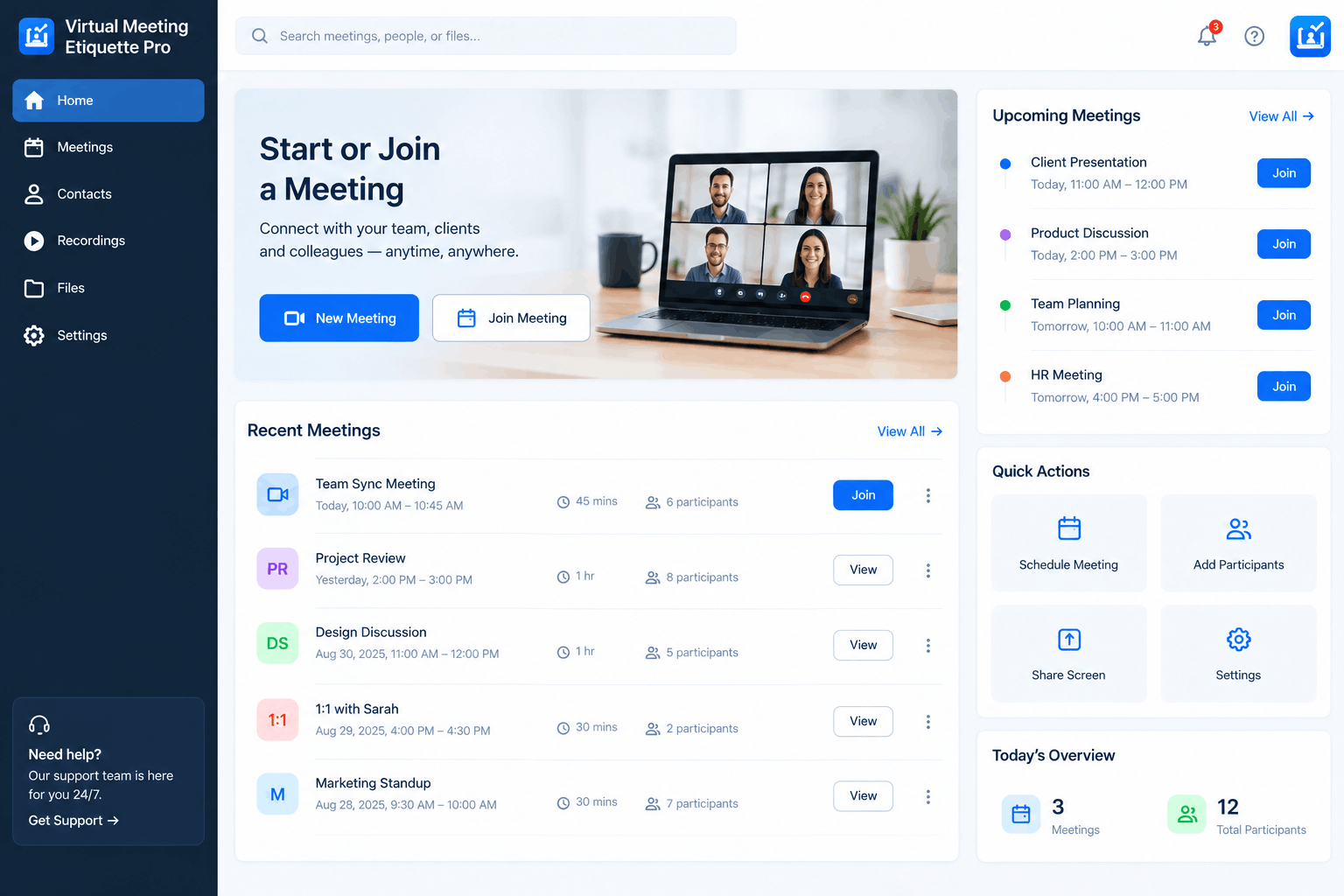
Virtual Meeting Etiquette Pro helps online meeting attendees show up fully prepared for their meetings. It guides them on simple but essential steps, like testing their audio, video, and internet before joining, as well as setting up a clean, distraction-free space. By taking care of these small details in advance, attendees can join their meetings on time and focus on the conversation from the very start.

Staying engaged during a virtual call isn’t always easy, but Virtual Meeting Etiquette Pro makes it simpler. It teaches attendees the right habits from muting when not speaking and avoiding multitasking to active listening and speaking clearly. These practices help them stay focused throughout the meeting, so they can contribute meaningfully instead of just passively attending.


Key Features You Must Know

Discover the essential features that make Virtual Meeting Etiquette a smarter and more efficient way to manage online meetings.

Seamless Note-Taking Integration

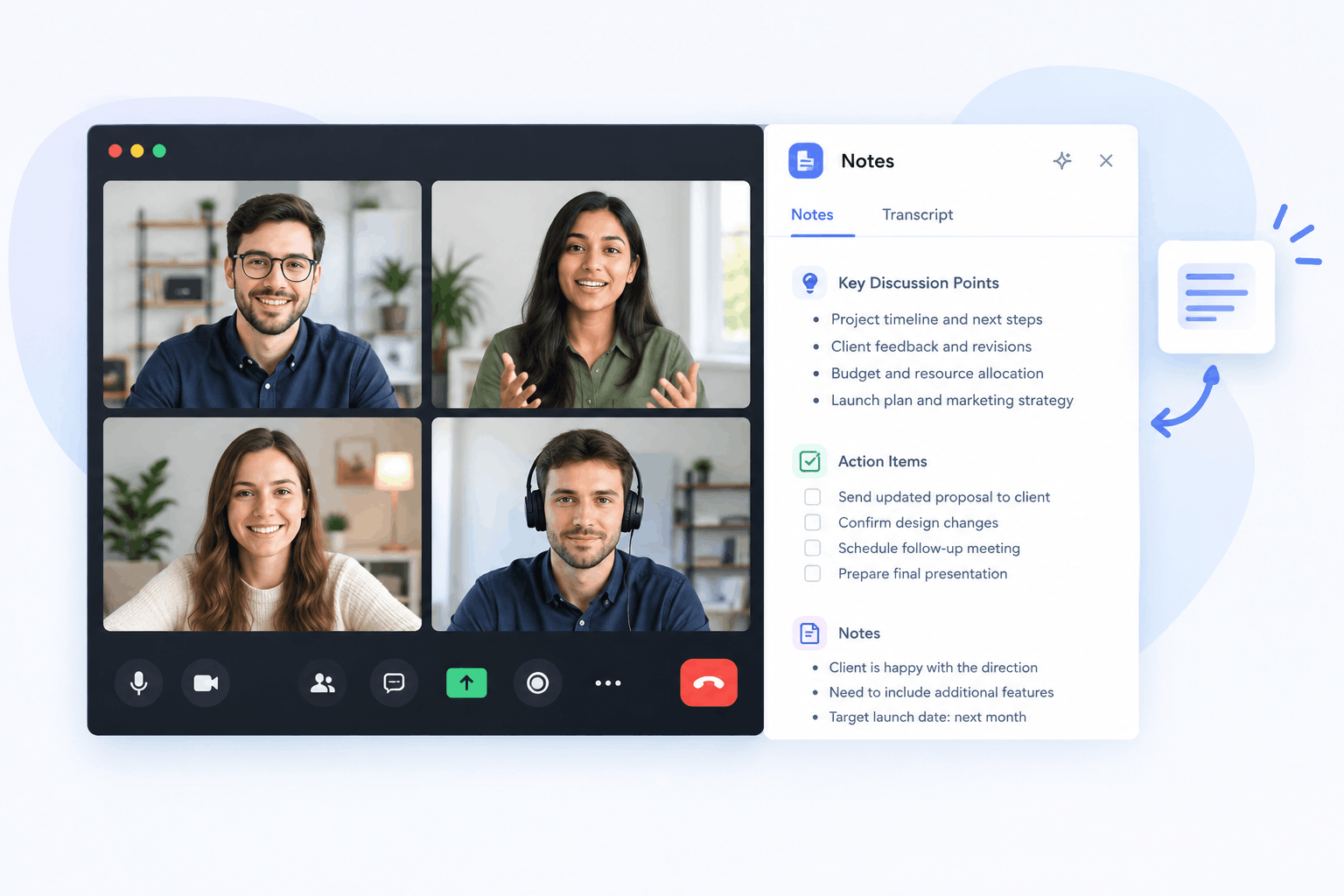
Stop scrambling between your meeting window and a separate notepad. Virtual Meeting Etiquette Pro allows you to capture meeting minutes, action items, and key insights directly alongside your video call interface. Keep your notes organized by project, date, or participant, ensuring no critical detail is ever lost.

Hassle-Free Call Management

Hassle-Free Call Management

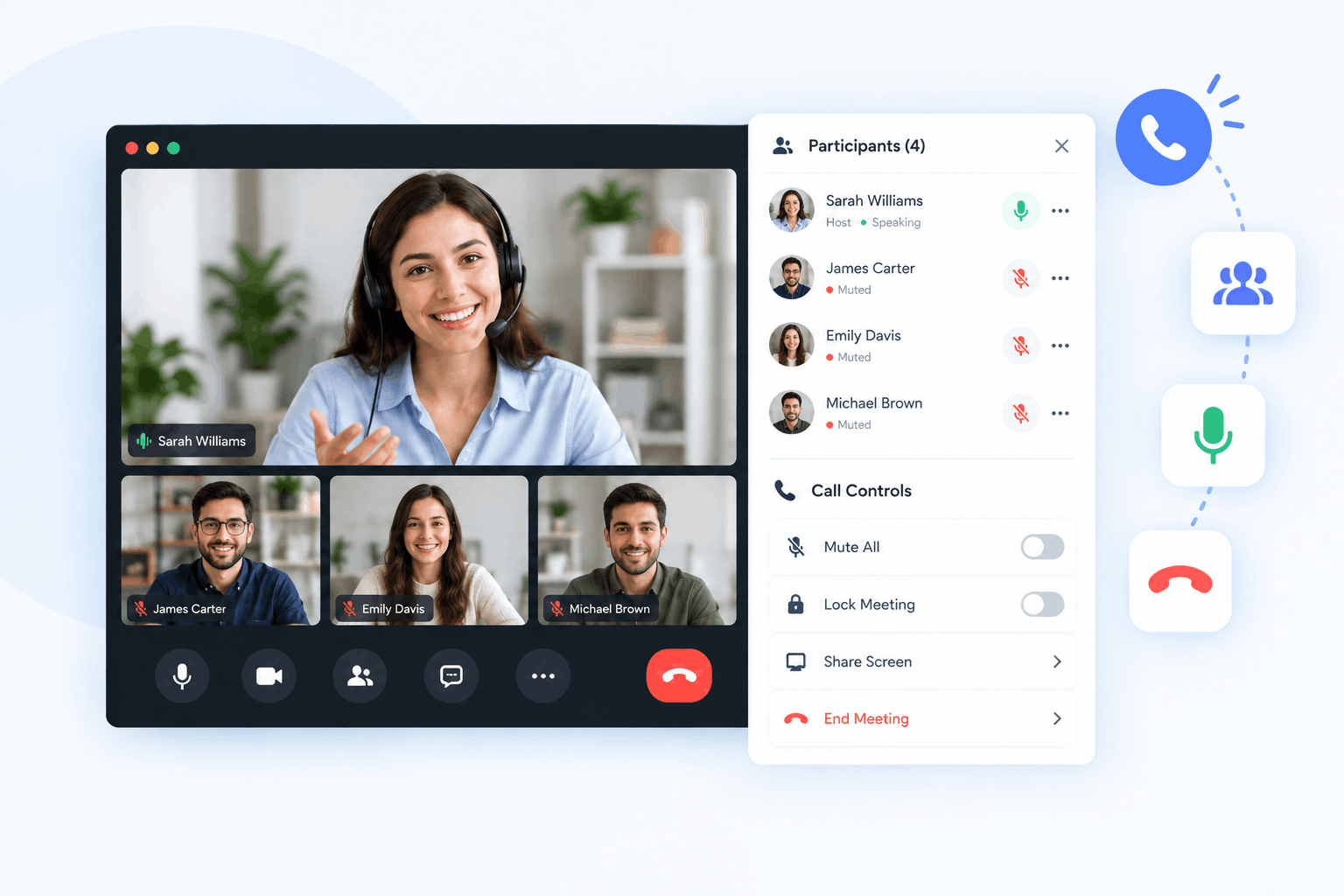
Say goodbye to technical difficulties. Virtual Meeting Etiquette Pro helps you prepare your environment before you join, ensuring your audio and video settings are optimized. With our streamlined dashboard, you can join calls with confidence, knowing you are prepared and professional.

Collaboration & Sharing

Collaboration & Sharing

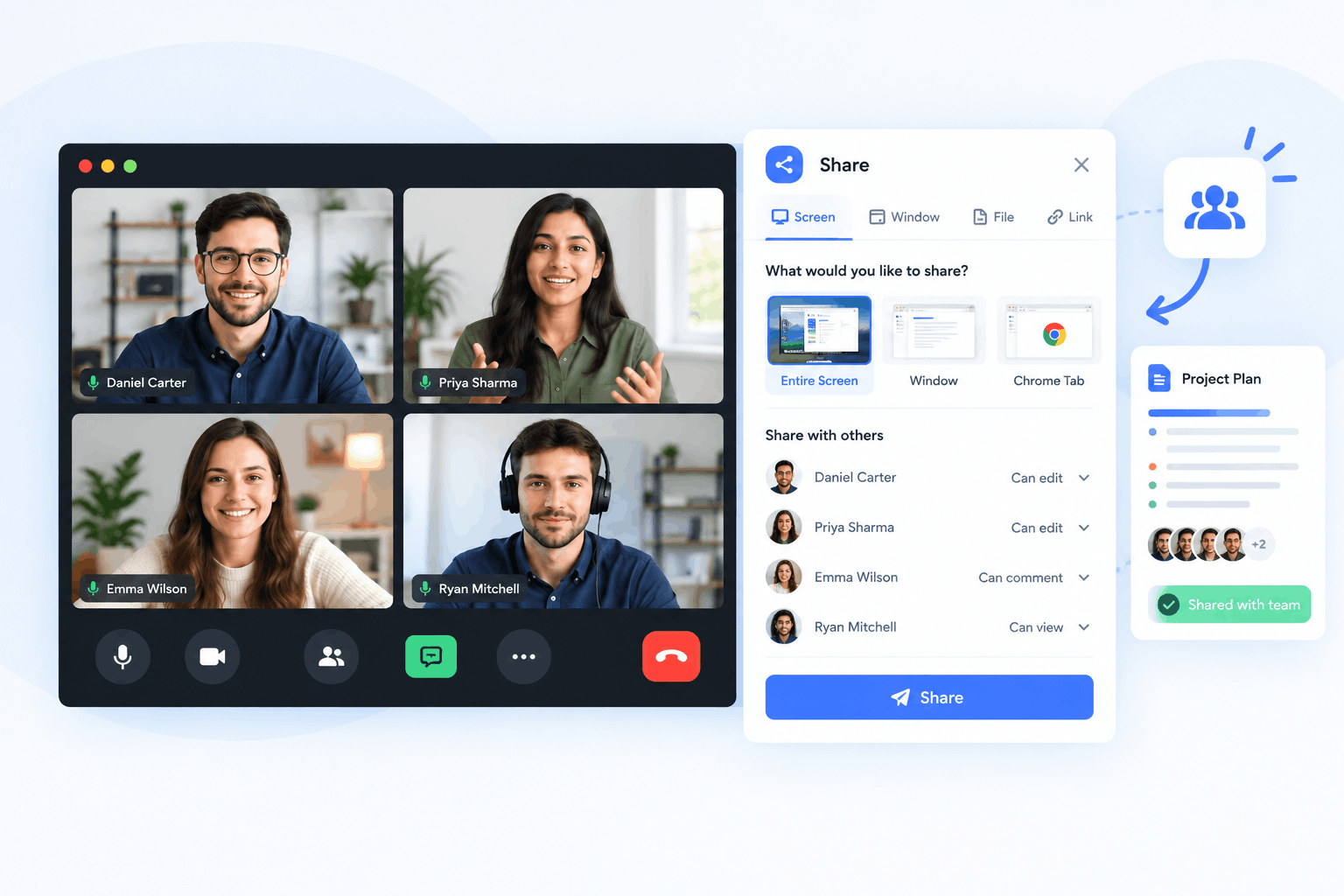
Meetings are a team effort. Share your notes and action items with colleagues instantly after the call concludes. Our collaboration tools ensure that everyone stays on the same page, even after the meeting ends.

Professional Meeting Suite

Built for Better Meetings (like a PRO)

Smart Meeting Notes

Capture decisions, action items, and key discussion points in one clean workspace. No more digging through chat history or email threads to figure out what happened.

Focus Tools

Minimize distractions with a dedicated meeting workspace. Keep your notes, agenda, and call controls in view so you stay present.

Action Item Tracker

Mark tasks, assign owners, and set due dates during the call. Leave every meeting knowing exactly who is doing what and by when.

Your Complete Virtual Meeting Solution

Virtual Meeting Etiquette Pro is a professional tool built for online meeting attendees. It helps you keep organized meeting notes and gives you the essential tools you need to join, participate, and exit every virtual call without the hassle.

0 K+

Active Users

0 +

Meetings Hosted

0 +

Uptime

Features that make a difference.

Here is why choosing Virtual Meeting Etiquette Pro is your ultimate career advantage:

Meeting Minutes

Create clear and structured meeting minutes to keep discussions, decisions, and action items properly documented.

Easy Meeting Management

Manage your meetings in a simple and organized way, helping you stay prepared before, during, and after every call.

Professional Meeting Records

Maintain organized meeting information that you can easily review whenever you need to revisit previous discussions.

Time-Saving Workflow

Reduce the time spent manually organizing meeting information and focus more on productive conversations and decisions.

Team Collaboration

Make it easier for participants to share important information, contribute to discussions, and stay aligned throughout the meeting process.

Follow Up With Confidence

Keep important meeting details organized after every call, making it easier to review discussions and complete follow-up tasks on time.

Choose Your Plan: Flexible Pricing Options

Choose the plan that fits your meeting needs and get the right tools to make every virtual meeting more organized and productive. Whether you are just getting started, managing meetings as a professional, or coordinating a team, our flexible plans provide practical features, reliable meeting management, and excellent value.

Free Plan

$0/Month

Start with essential meeting tools at no cost. The 7 day trial gives you a simple way to explore meeting notes, minutes, organization, and action tracking.


Including:

Popular

Professional Plan

$30/Month

Designed for individuals and professionals who manage meetings regularly. Get advanced meeting features, unlimited meetings, better organization, and priority support.


Including:

Business Plan

$200/Month

Built for teams and growing businesses that need a complete meeting management solution. Enjoy advanced collaboration, unlimited records, enhanced follow-up tools, and dedicated support.


Including:

Why Customers Love us?

Our customers appreciate Virtual Meeting Etiquette for making online meetings more organized, professional, and productive.

From easy meeting preparation to better note-taking and follow-up, users value the platform’s simple interface, practical features, and time-saving approach. 

(4.5 Average rating )

A very useful meeting tool for keeping virtual meetings organized. The interface is simple, and managing meeting notes and important details is much easier.

    David Chen
    David Chen

    Sales Director at ConnectCo

    I really like how convenient this tool is for managing meeting information. It reduces the time spent organizing notes after a meeting and keeps everything easier to follow.

      Anna Rodriguez
      Anna Rodriguez

      Chief Data at InnovateTech

      Virtual Meeting Etiquette is a practical tool for keeping online meetings organized. It makes it easier to manage important notes and stay focused during discussions.

        Tom Williams
        Tom Williams

        Project Lead at TeamSync

        This tool makes virtual meetings more structured and professional. It is especially helpful for teams that need to keep track of discussions, notes, and meeting outcomes.

          Laura Evans
          Laura Evans

          VP of Operations at DataDriven

          A practical solution for businesses and professionals who regularly attend online meetings. The platform is straightforward, useful, and easy to work with.

            Tom Williams
            Tom Williams

            Project Lead at TeamSync

            A useful tool for businesses and remote teams. It helps bring more structure to online meetings and makes it easier to keep track of key information.

              Rachel Adams
              Rachel Adams

              Manager at GrowthMark

              Frequently Asked Questions

              The basic rules include joining on time, testing your microphone and camera, choosing a quiet and professional environment, muting yourself when you are not speaking, avoiding interruptions, staying focused, and communicating respectfully. You should also follow the meeting agenda and clearly confirm any action items before the meeting ends.